Product
One workspace from brief to working app
Plan, generate, preview and refine full-stack applications with AI that shows its work.
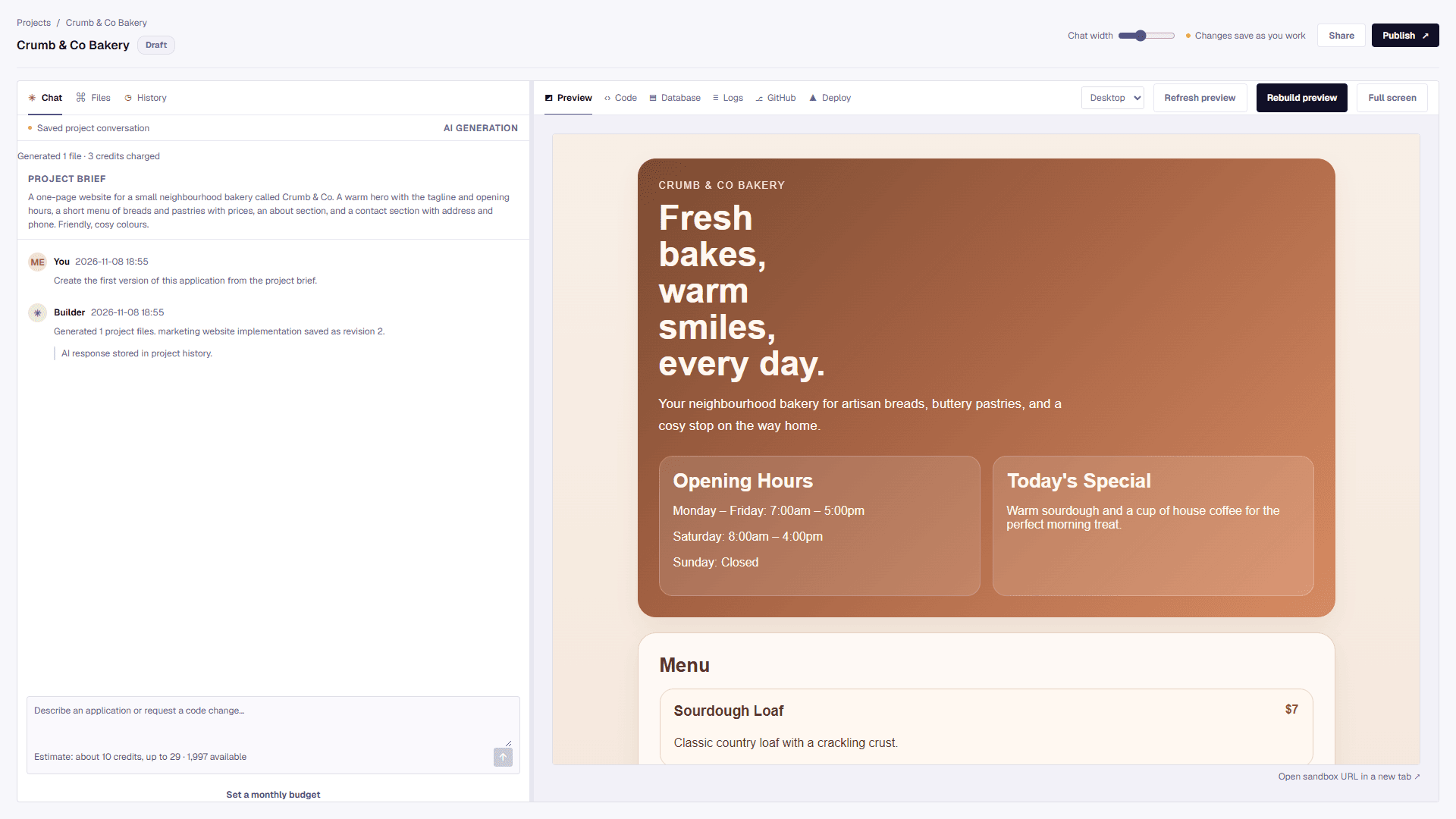
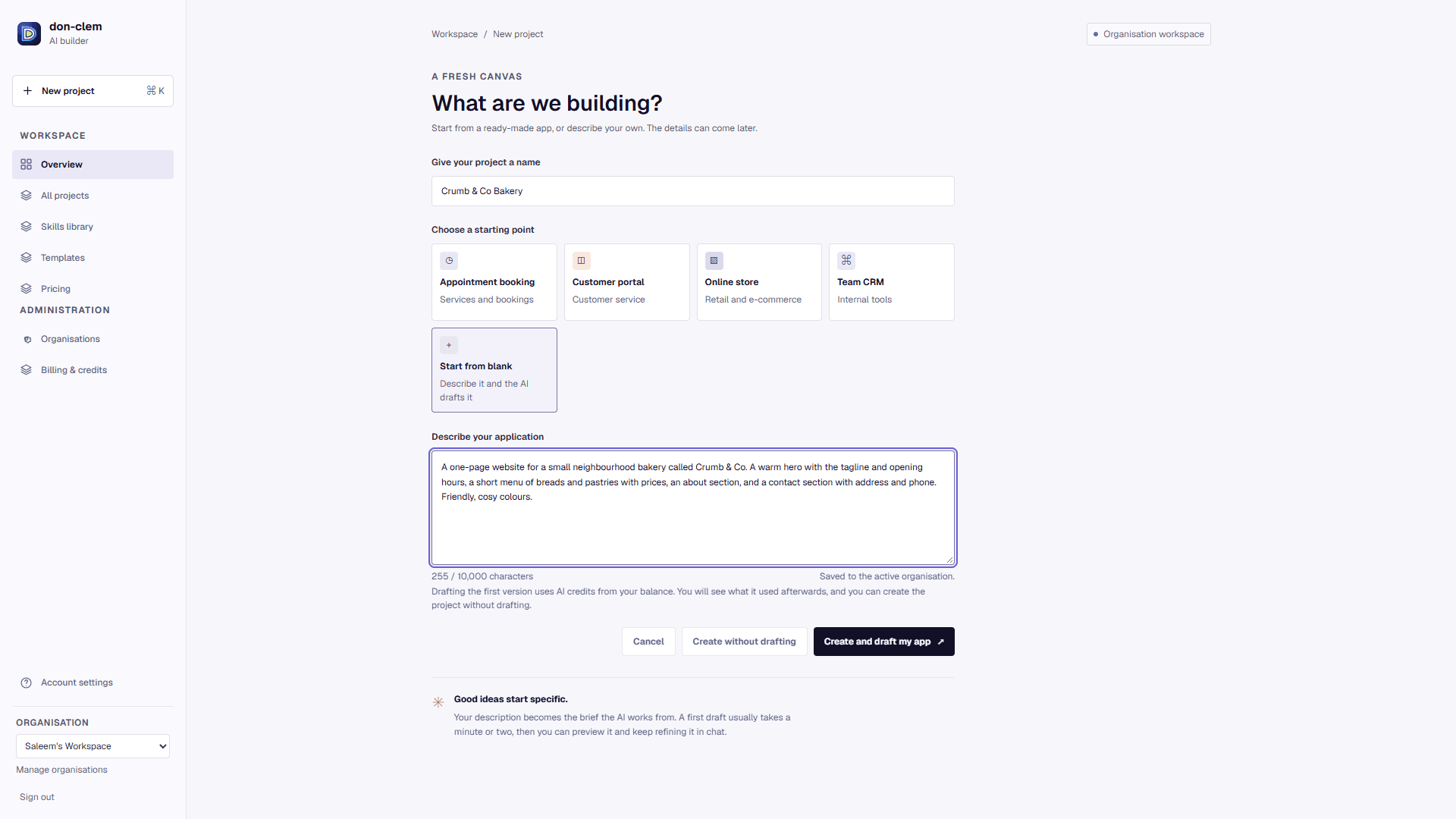
AI app builder Available
Brief in, screens, data and logic out.
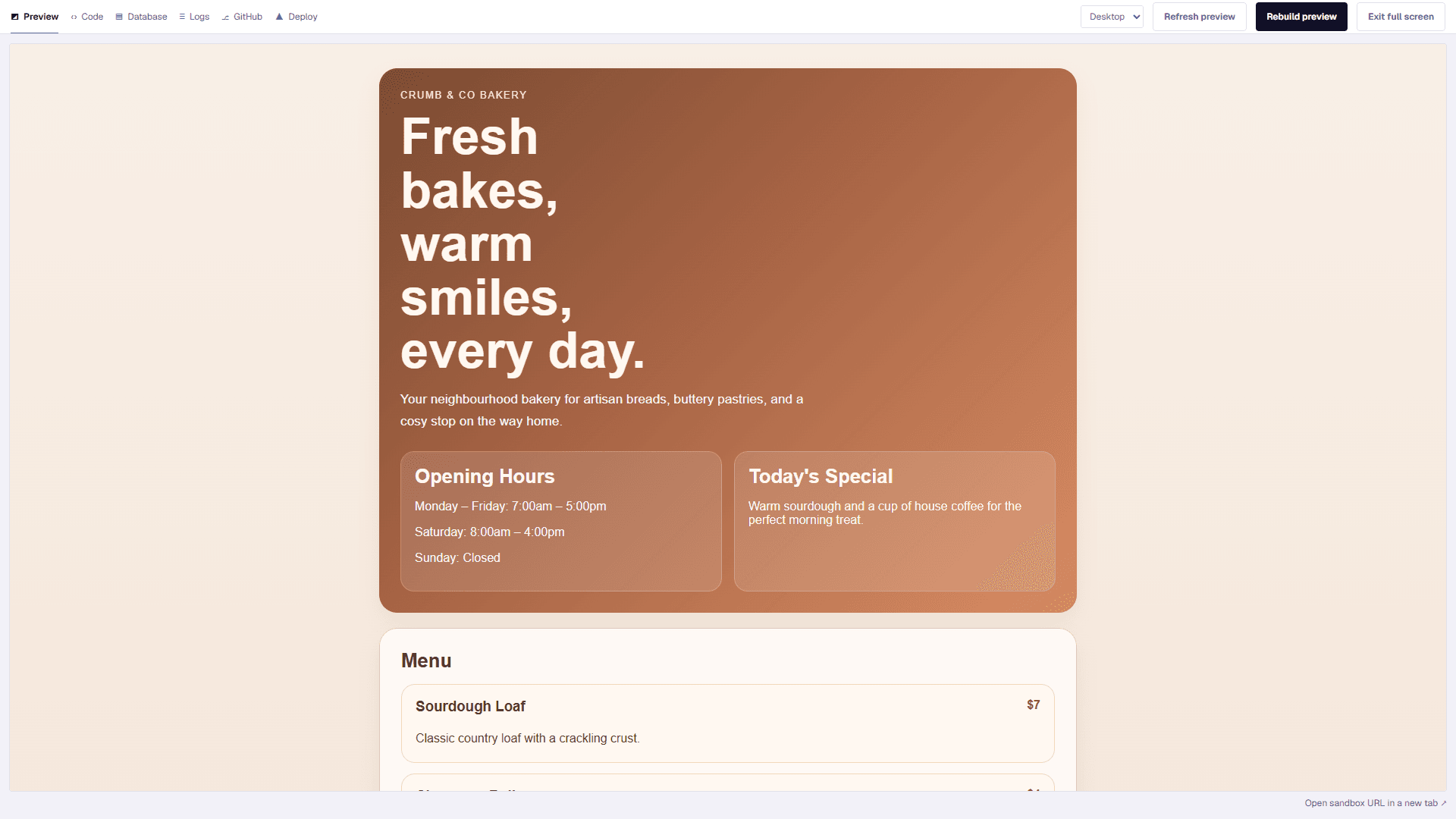
Live preview Available
Test real flows before you commit.
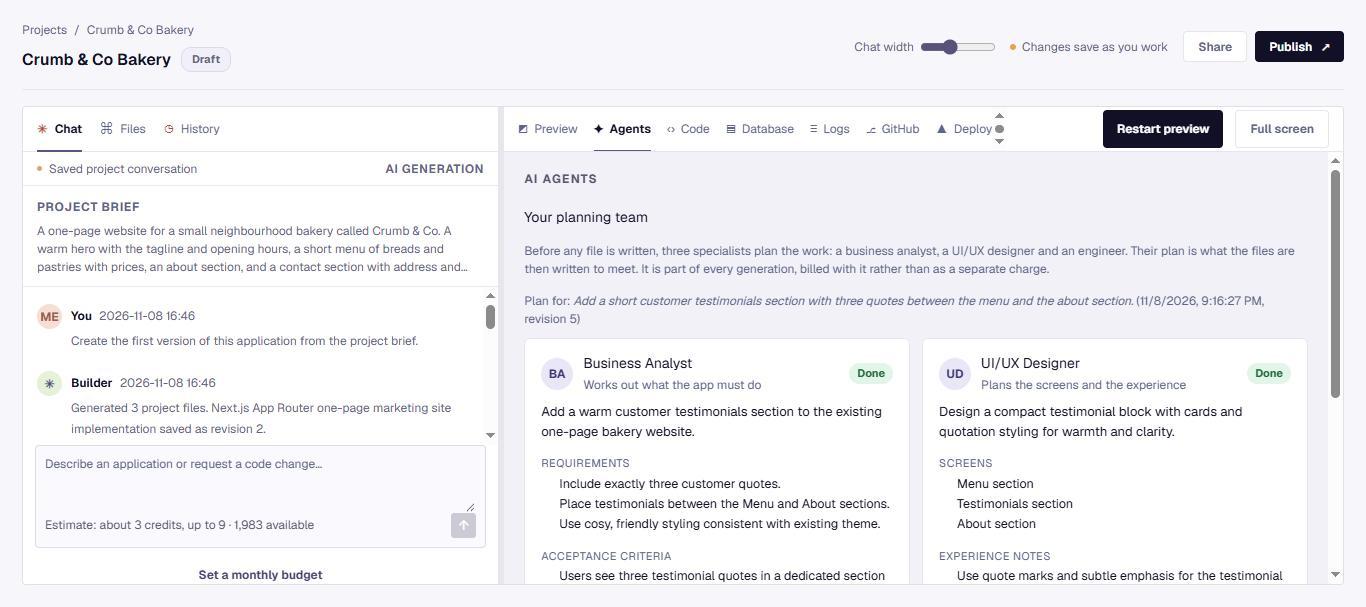
Agents and Skills Available
A planning team of specialist agents, and reusable Skills that carry your standards into every build.
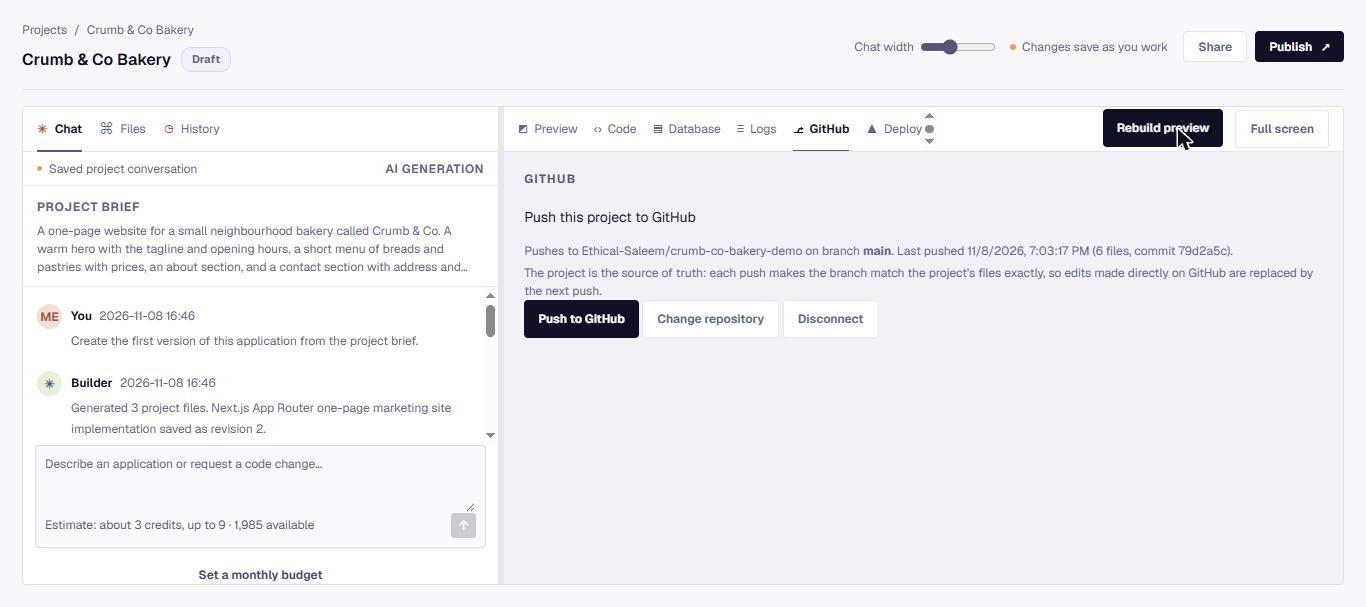
Export and deploy Available
Create a GitHub repository and push to it from the builder, or deploy to hosting.
Features tagged Planned are in development and not yet available. Tags change only when the owner confirms a feature is live.
See it working
Screens from a real project
These are the product's own screens, taken while building a small bakery website from a plain-language brief.
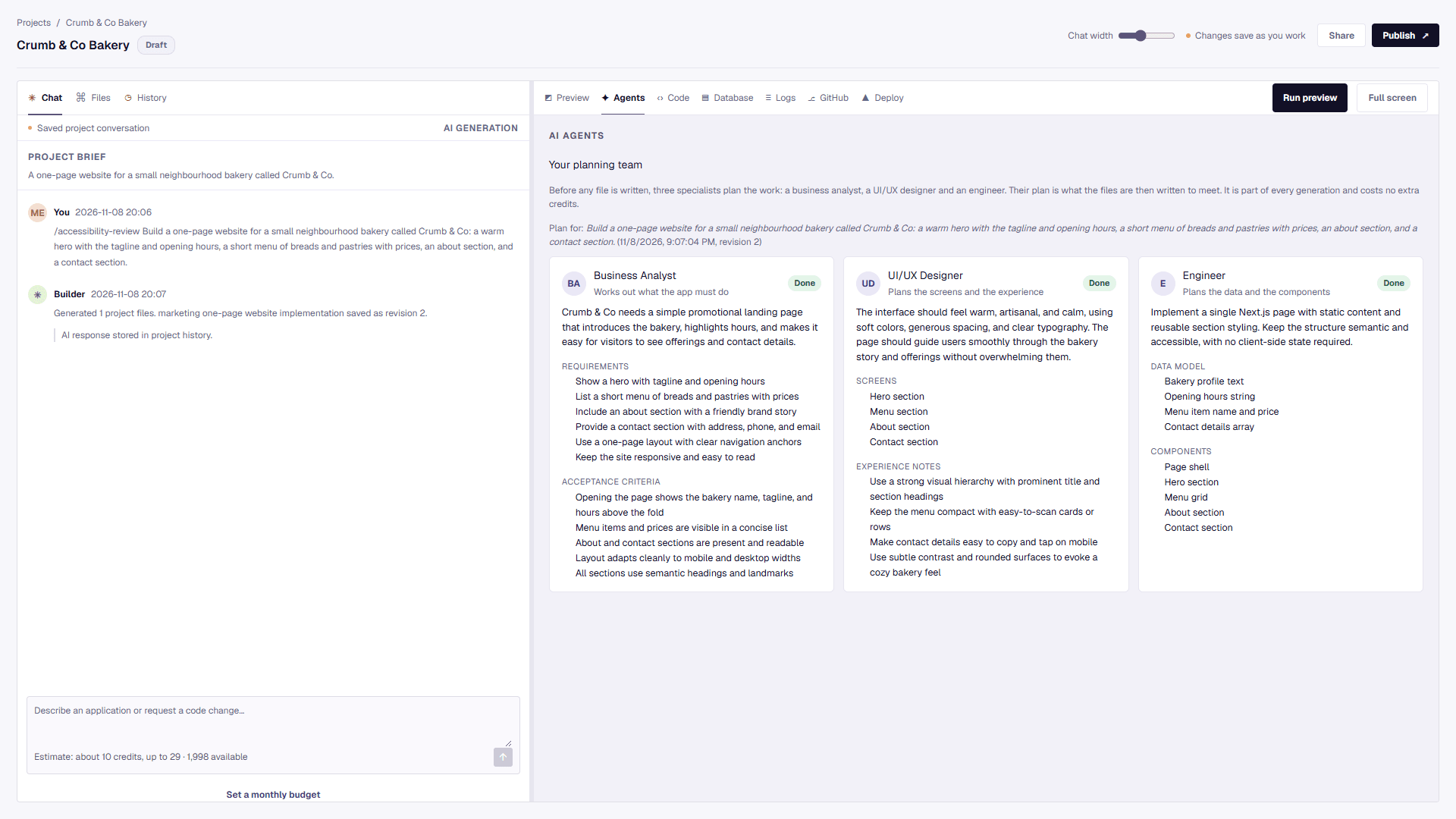
A planning team before the code
A business analyst, a UI/UX designer and an engineer each plan their part first: requirements, screens, data and components. The files are then written to meet the plan.
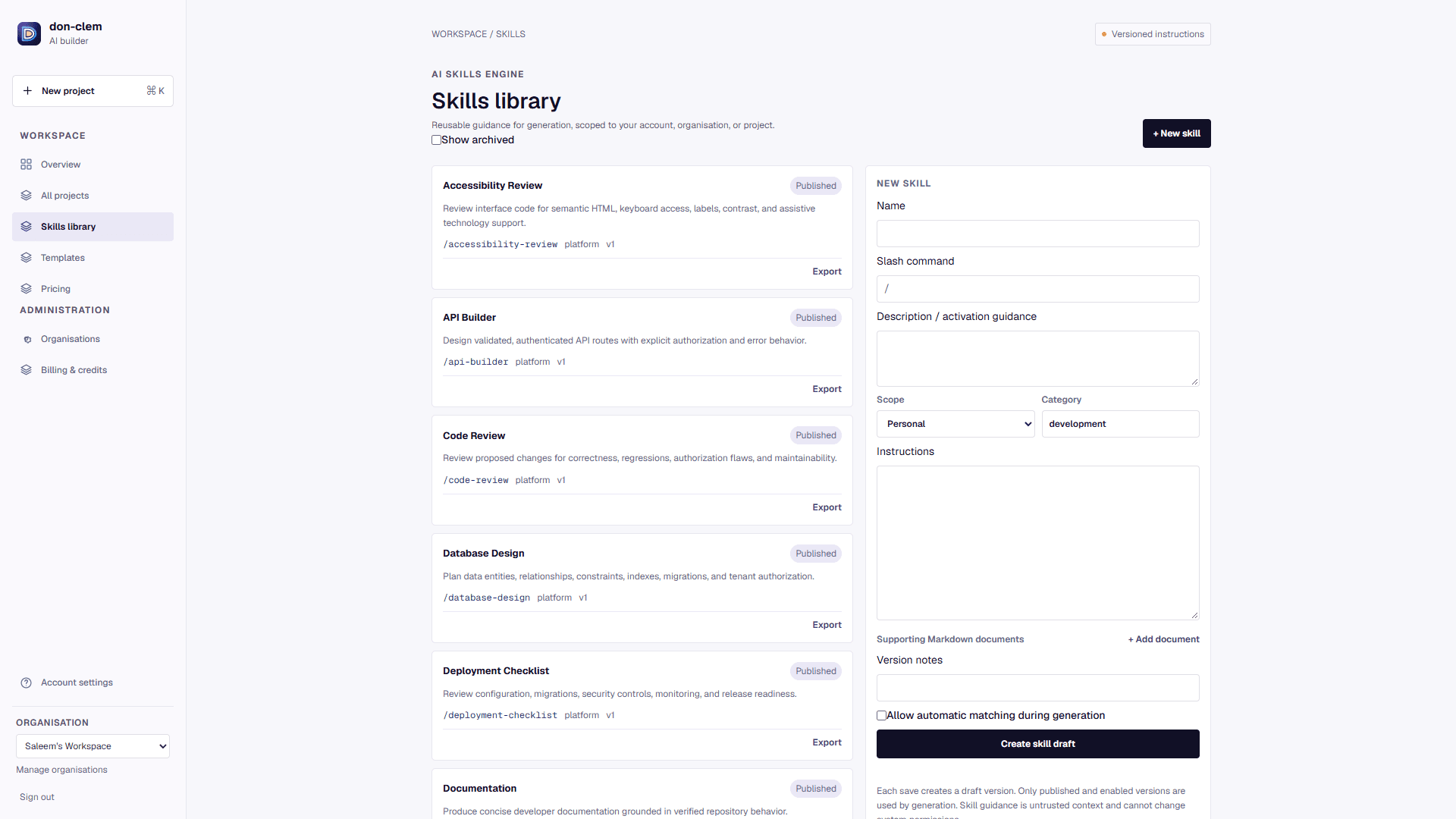
Skills your team can reuse
Twelve ready-made skills for accessibility, security, SEO, testing and more, plus your own. Each is versioned and carries its guidance into every generation.
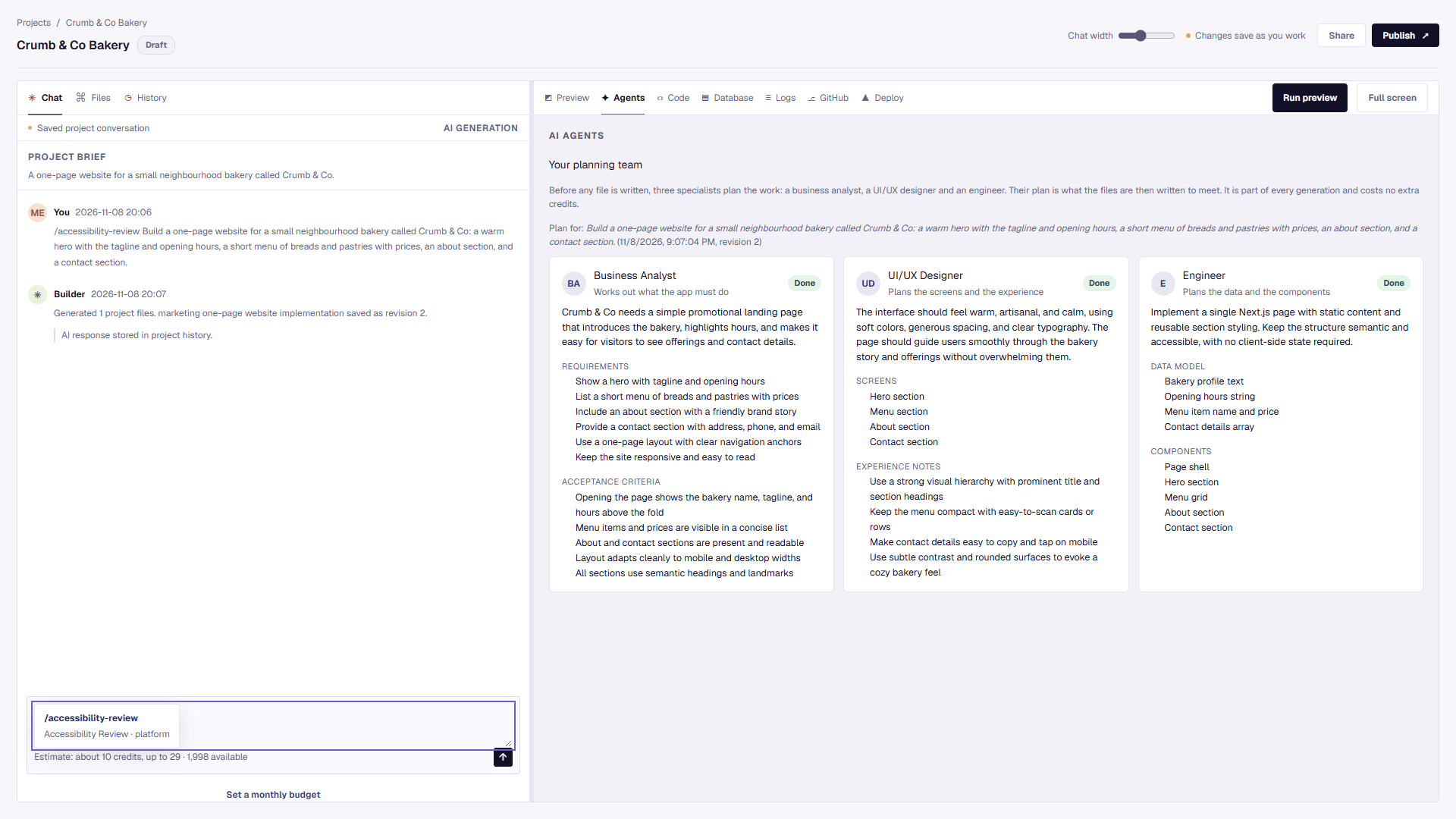
Apply a skill with a slash
Type / in the builder to add a skill to a request, such as /accessibility-review. Up to three per request.
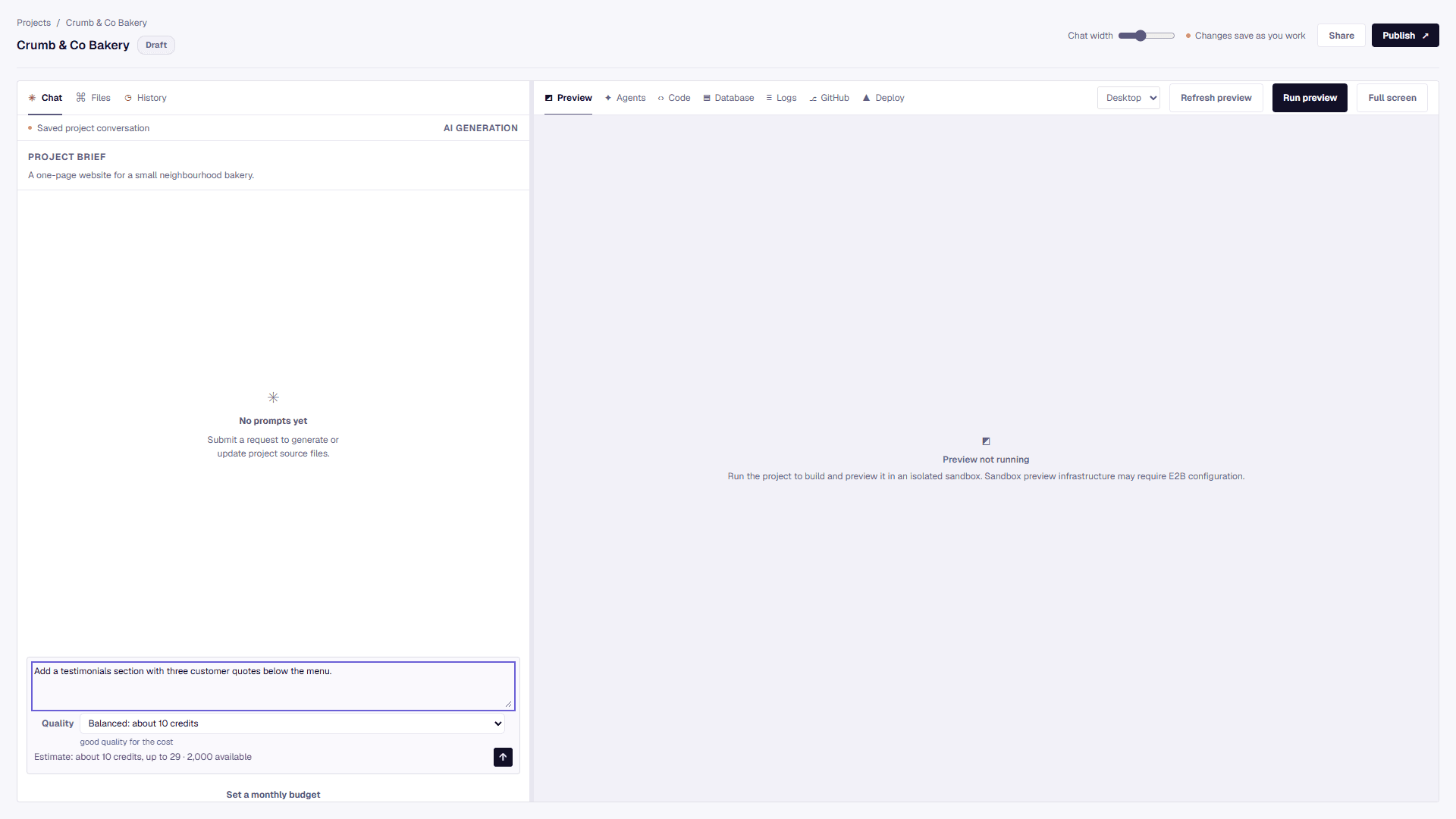
Choose the quality, see the cost first
Pick Automatic, or choose Fast, Balanced or Advanced. Each shows its credit estimate before you send, so you decide what a request is worth.
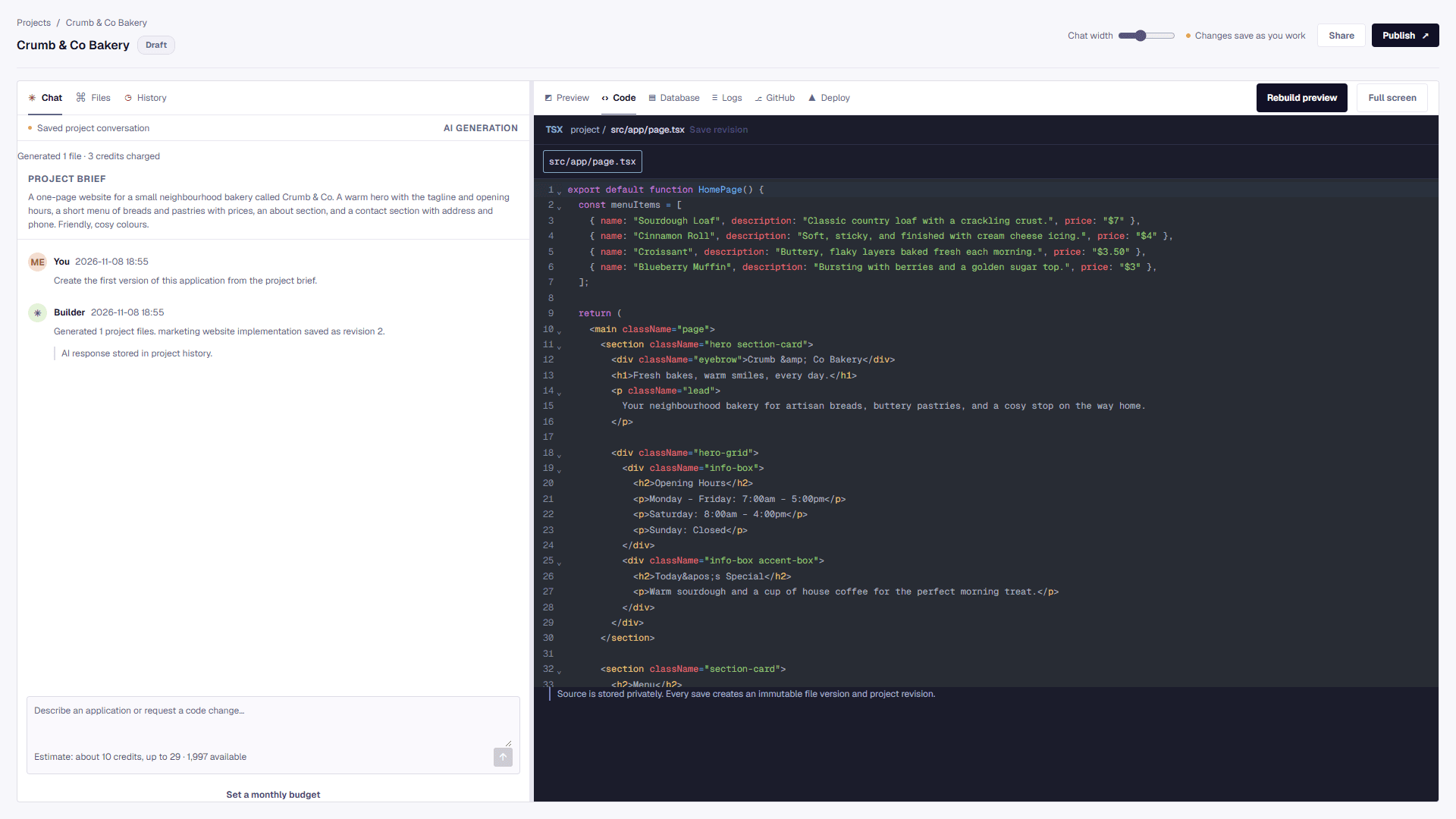
Read and edit the code
Every file the AI writes is yours to open, edit and save, with highlighting, search and history.
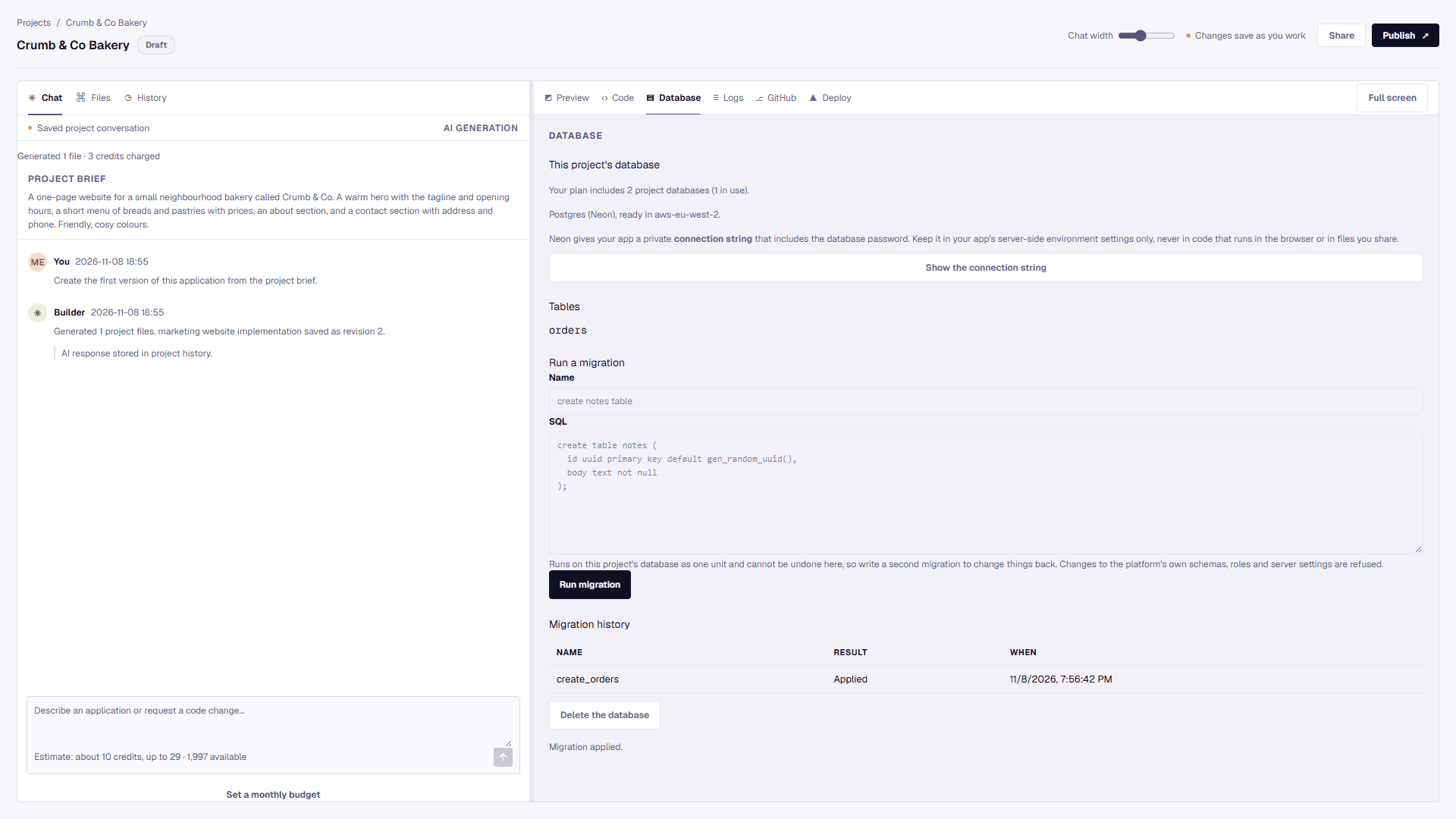
A database for each project
Create a Postgres database, run migrations and see the tables. Included from the Pro plan.
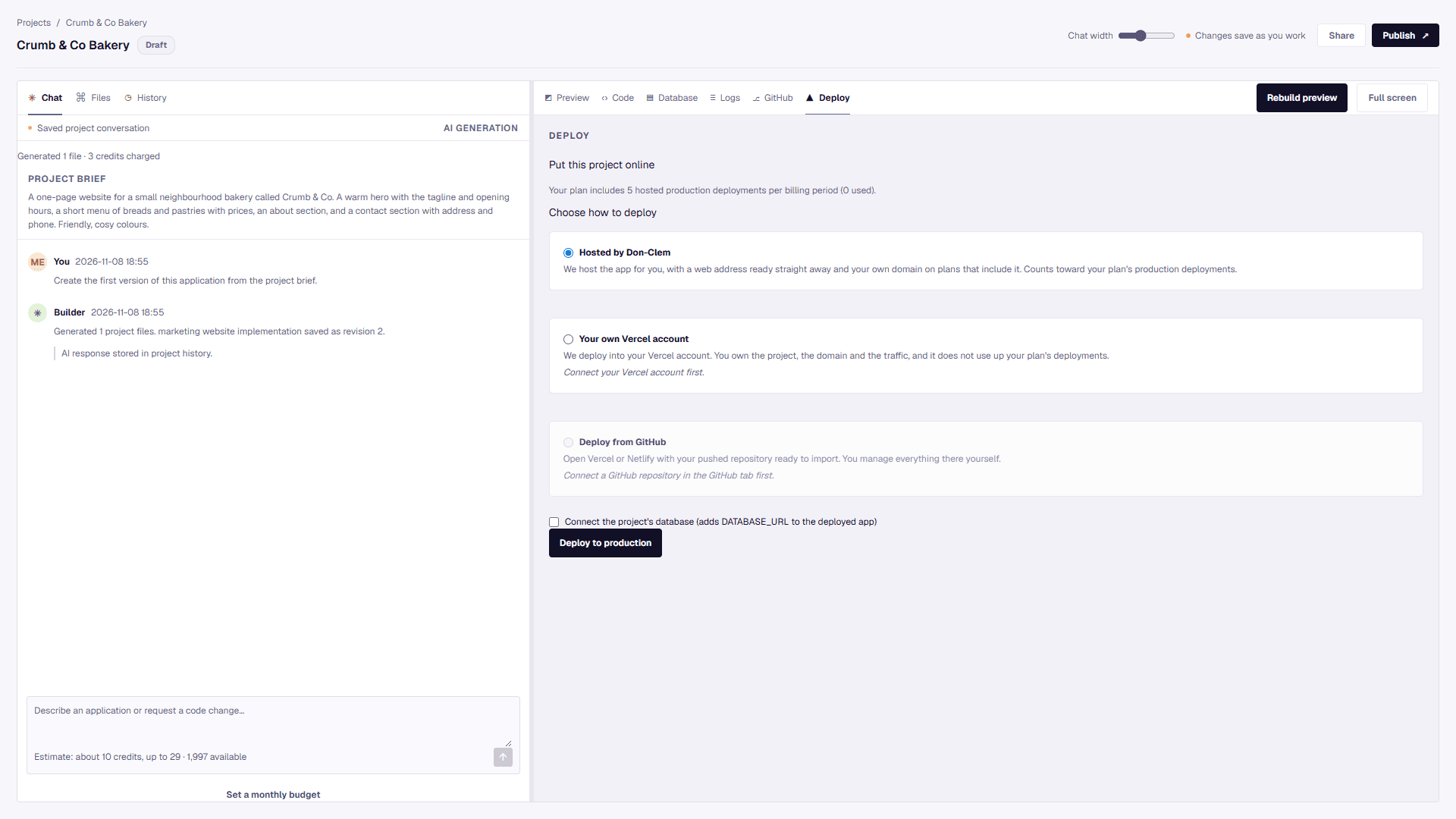
Three ways to go live
Host with us, deploy to your own Vercel account, or deploy from your GitHub repository.
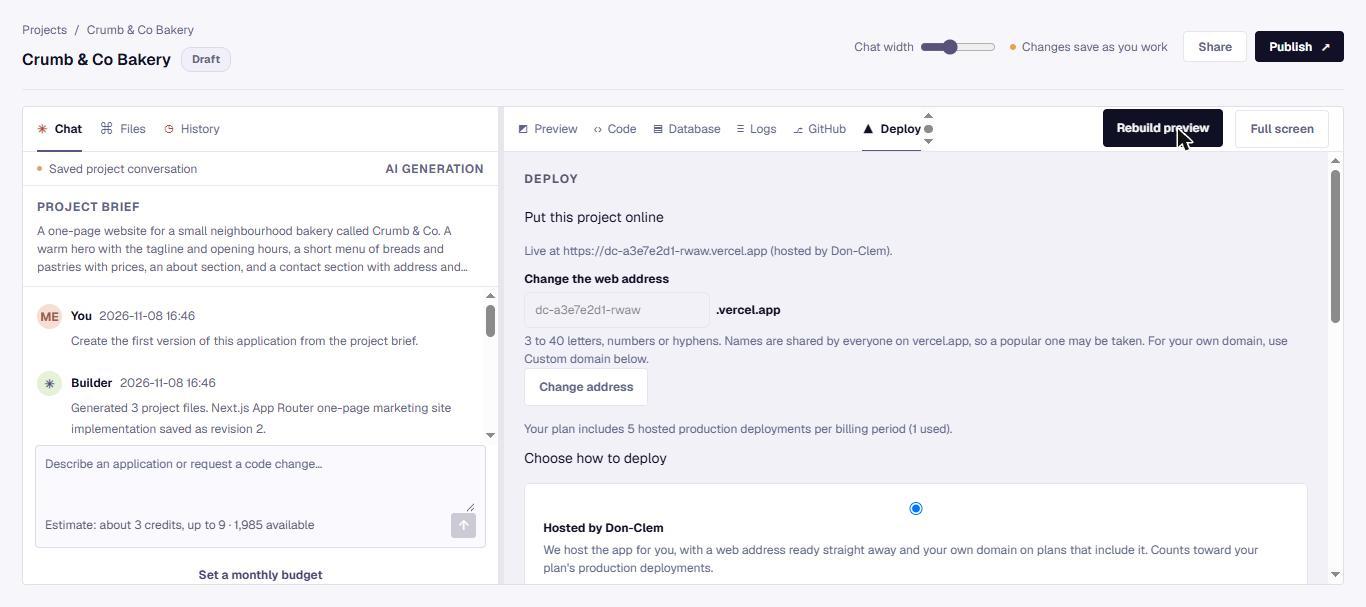
Your own web address
Choose the address of your live app, or connect your own domain on plans that include it.
What is included, and what is coming
| Capability | Status | Plans (proposed) |
|---|---|---|
| AI app generation | Available | All |
| Live preview | Available | All |
| GitHub export | Available | Starter and up |
| Deployment | Available | Starter and up |
| Team workspaces and roles | Available | Business and up |
| Client workspaces | Available | Agency |
| SSO | On request | Enterprise |
| Audit log | On request | Enterprise |
Go deeper
Product areas
Agents and Skills
Let a team of specialist agents plan each build, and teach the builder your team's standards once so it applies them every time.
Read more →
Models and credits
Know which model is doing the work and what it costs before you press go.
Read more →
Teams and collaboration
Give each project an owner, clear roles and a review step, so nothing ships by accident.
Read more →
Integrations and automation
A useful app rarely stands alone. Plan the connections and the exceptions before you automate.
Read more →
Try it on a real idea
Start free, and book a demo when you want a walkthrough for your team.